Blocking vs Non-Blocking Code in Node.js
One of the biggest reasons Node.js became popular is its non-blocking nature.
But many beginners hear terms like:
blocking
non-blocking
async execution
without actually understanding what they mean.
The idea is simpler than it sounds.
It mainly comes down to one question:
“Does the program wait or continue?”
What is Blocking Code?
Blocking code stops execution until a task finishes.
Example:
const fs = require("fs")

const data = fs.readFileSync("data.txt", "utf8")

console.log(data)

console.log("Next Task")
Here:
Node.js waits for file reading
only then moves to next line
Execution becomes blocked.
What is Non-Blocking Code?
Non-blocking code does not wait.
Instead:
task starts
Node.js continues execution
result comes later
Example:
const fs = require("fs")

fs.readFile("data.txt", "utf8", (err, data) => {
  console.log(data)
})

console.log("Next Task")
Output:
Next Task
(file content later)
Node.js continues running while the file is being read.
Non-Blocking Execution Timeline

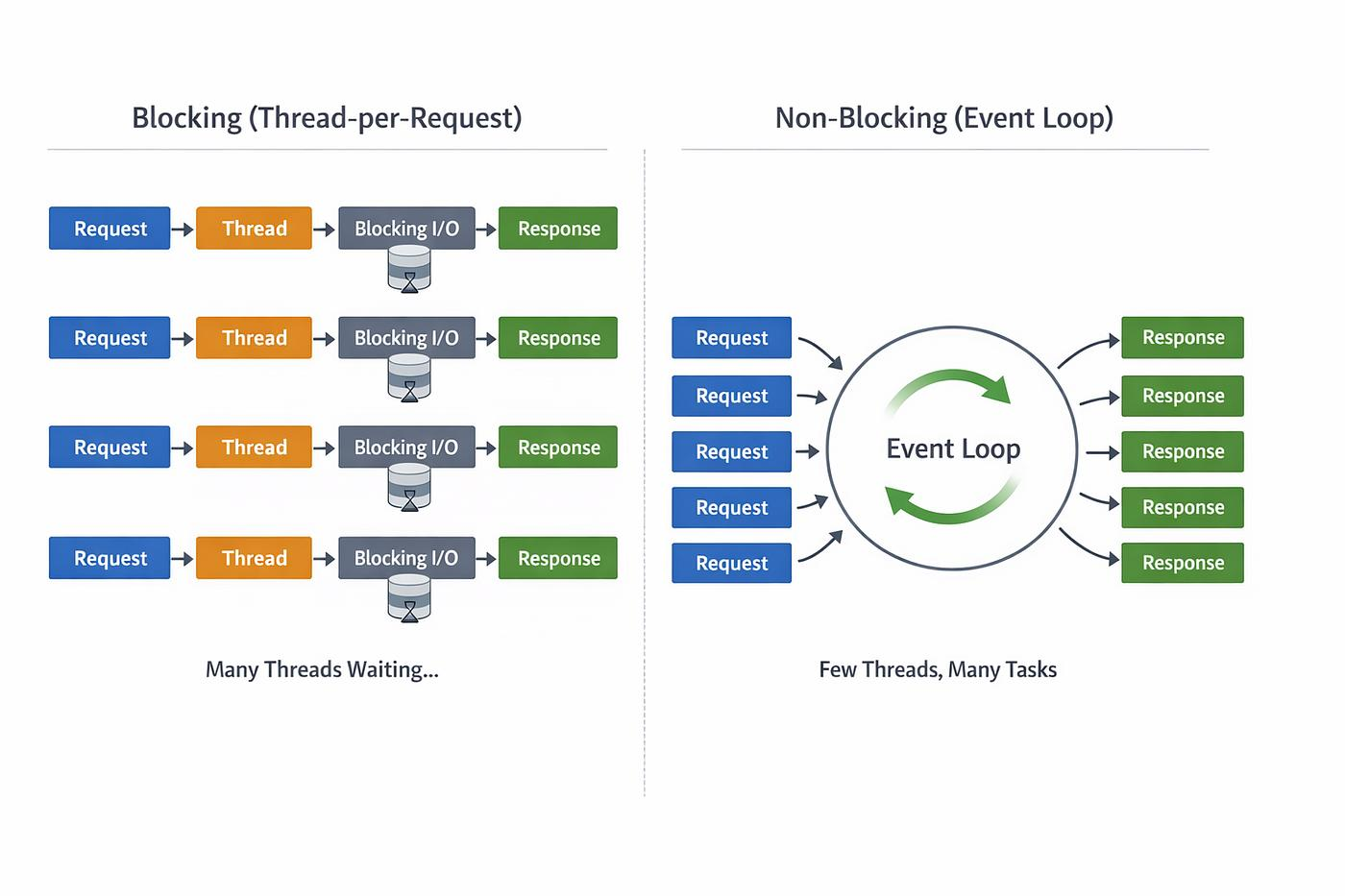
Why Blocking Slows Servers
Imagine a server handling multiple users.
If one request blocks execution:
- every other request must wait
This becomes a huge problem for:
APIs
chat applications
real-time systems
Blocking wastes time while waiting for operations like:
file reading
database queries
API requests
Real-World Analogy
Think of ordering food.
Blocking
You order food and stand at the counter doing nothing until it arrives.
Nobody else gets served meanwhile.
Non-Blocking
You place the order, get a token, and continue doing other things.
When food is ready, you collect it later.
Node.js works similarly.
Async Operations in Node.js
Node.js handles many operations asynchronously:
file reading
database access
network requests
timers
Example:
setTimeout(() => {
  console.log("Task Done")
}, 2000)

console.log("Program Continues")
Output:
Program Continues
Task Done
The delay happens in the background.
File Reading vs Database Calls
Both are examples of I/O operations.
These operations usually take time because they involve:
disks
networks
external systems
Node.js avoids blocking while waiting for them.
That is why it performs well under many connections.
Impact on Server Performance
Non-blocking behavior allows Node.js to:
handle more requests
stay responsive
use resources efficiently
This is one of the biggest reasons Node.js is widely used for backend APIs.
How to Think About It
Simple rule:
Blocking → wait and stop
Non-blocking → continue and handle later
That is the core difference.
One Line Summary
Blocking code waits for tasks to finish, while non-blocking code continues execution without stopping the program.
Conclusion
Node.js uses non-blocking execution to avoid wasting time waiting for slow operations like file access or database queries.
Instead of stopping execution, it continues handling other tasks, which makes Node.js fast and scalable for modern backend systems.